Companion keeps an editable memory of your projects, drafts from the documents you choose, shows where every line came from, and plans then carries out multi-step work.
The first call to the model has no tools. The numbered plan is saved and shown before any step runs.
02The work log
Each step is shown live: memory searched, file read, table analysed, report written.
03The result
A board beside the conversation, reports to open and the actions waiting for your approval.
A run is limited to 10 turns and 30 tool calls, and the Stop button cancels it at once.
Boards
Every figure is computed by Companion, not by the model
Boards built for you
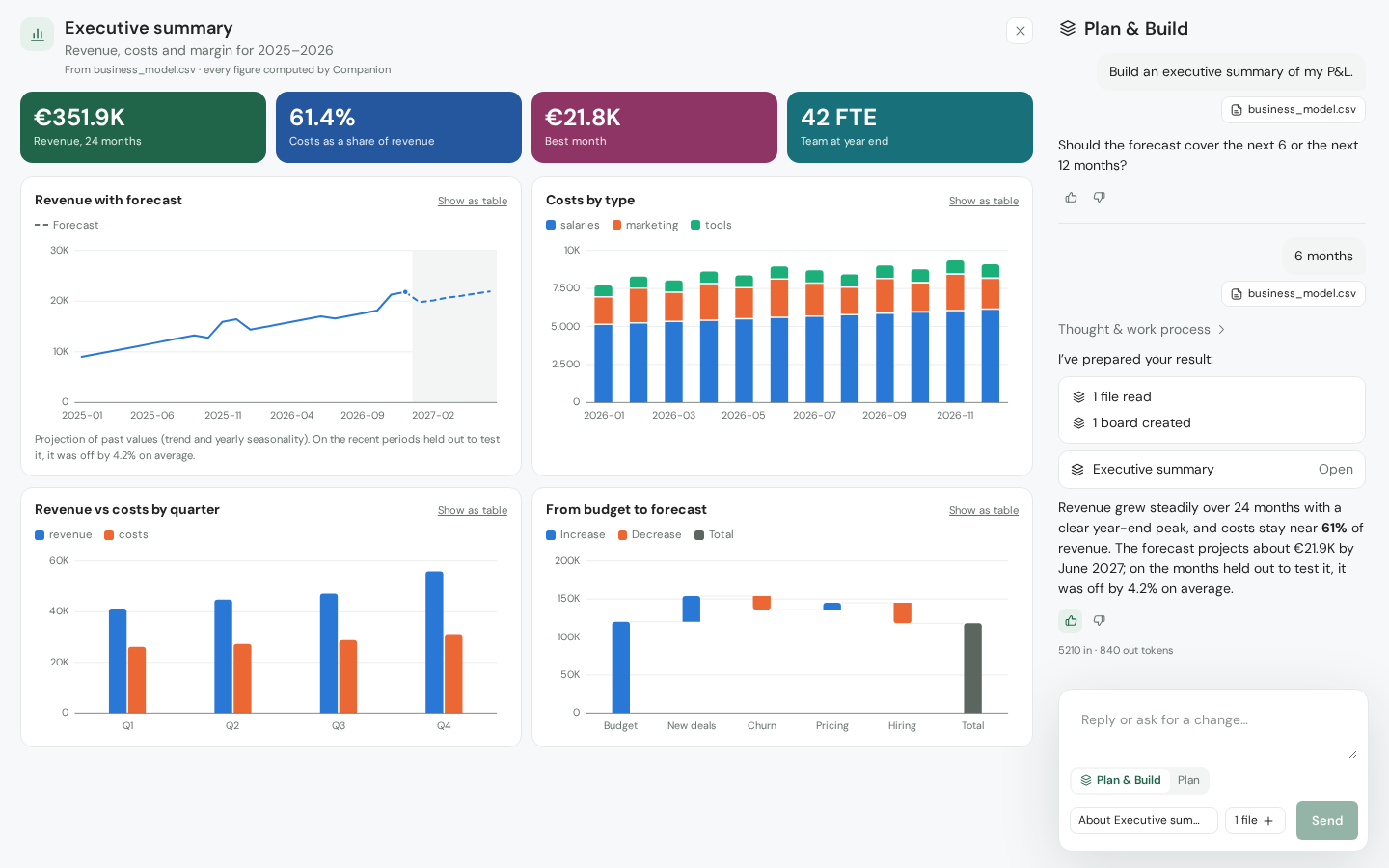
Headline figures, lines, bars, waterfalls and tables from a CSV or Excel file. The model chooses what to show, Companion does the computing.
Every figure can be checked
Choose a figure or a bar to see the rows behind it, with their total.
What-ifs on a copy
Compare up to three what-ifs with the base. Your files are never changed.
Forecasts with their margin of error
A projection of 1 to 12 periods, with a 95% range and the error measured on recent periods. It is statistics, not a trained model.
Up to four joined tables
Join your tables on a shared column and define your calculations once: margin, growth, running totals, shares.
Boards you keep
Recomputed each time they open, laid out in sections, exportable as a PDF, an image or CSV.
Memory
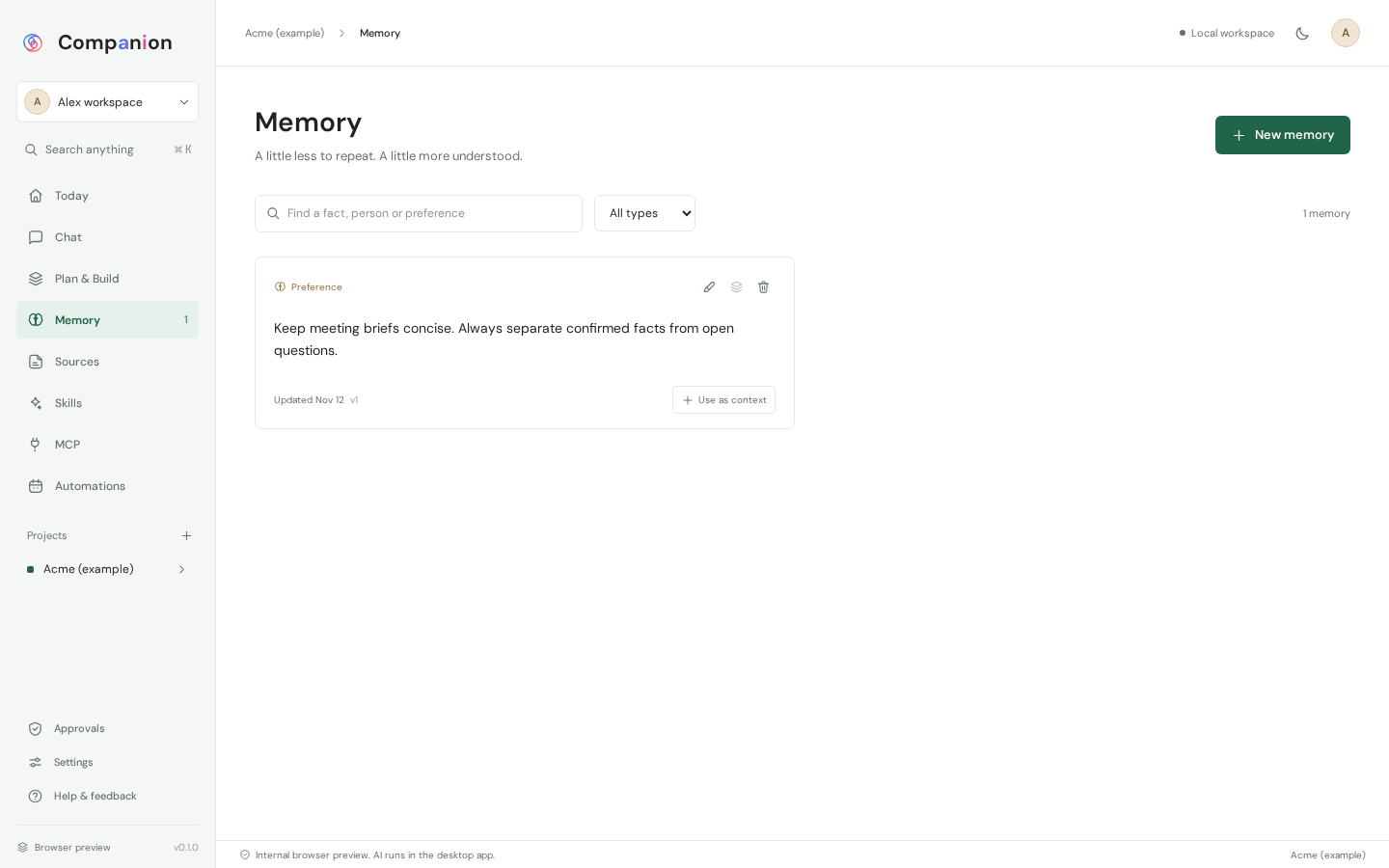
A memory that stays yours
Read, correct, undo
Preferences, people, projects and decisions keep their origin and their versions. After a run, Companion shows what it retained and offers to undo it.
Sources you choose
Pasted notes, text, Markdown and PDF files. Only what you select is sent to your provider, and drafts cite their sources.
Agents
Ten workflows and your own agents
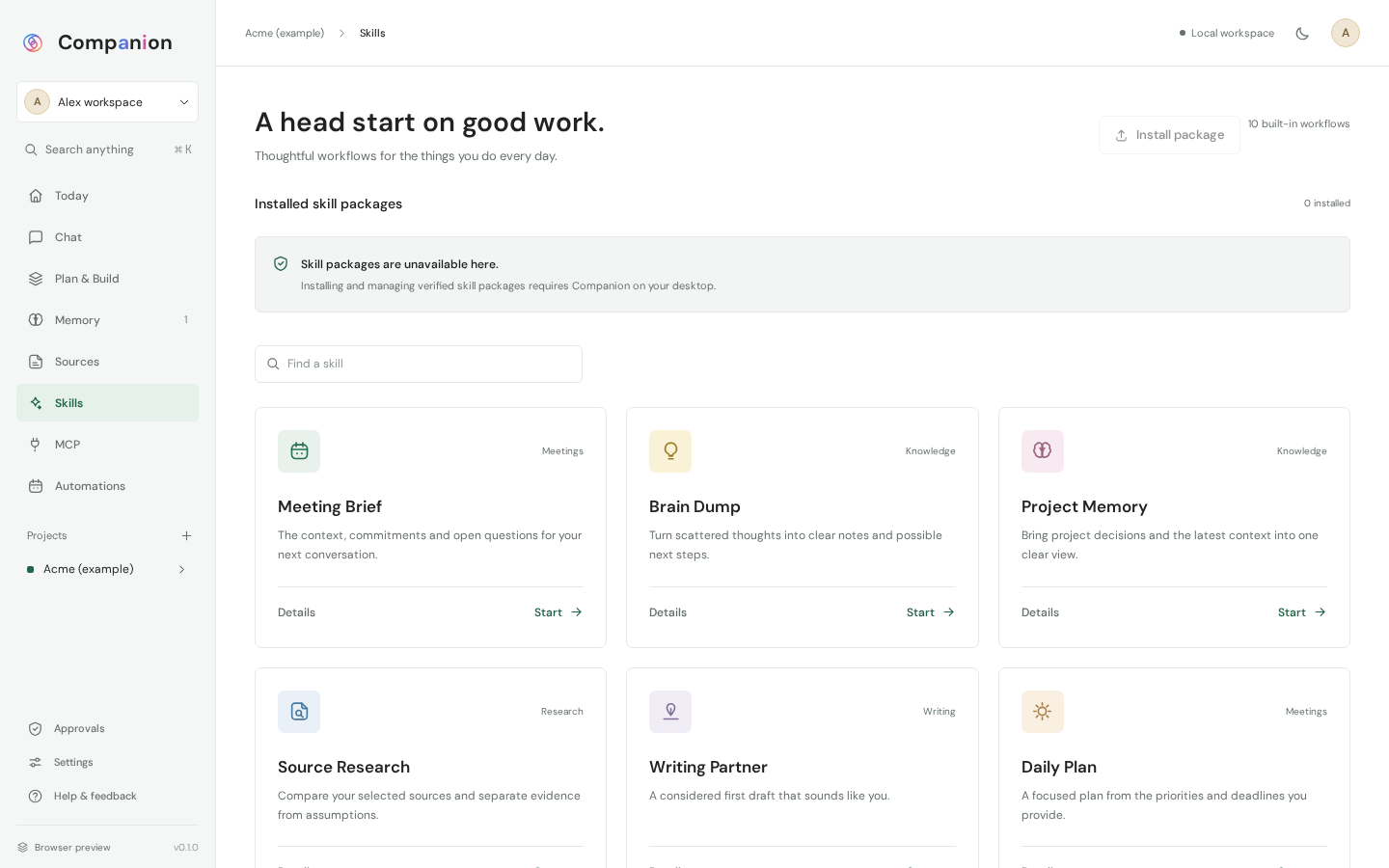
Ten built-in workflows
Meeting brief, daily plan, follow-up tracker, source research and offer builder, among others.
Agents built on one page
An assistant asks you its questions one at a time and writes the agent: instructions, documents it always reads, allowed tools, budgets. Every save is a version you can restore.
Connections
Your tools, connected over MCP
Any MCP server
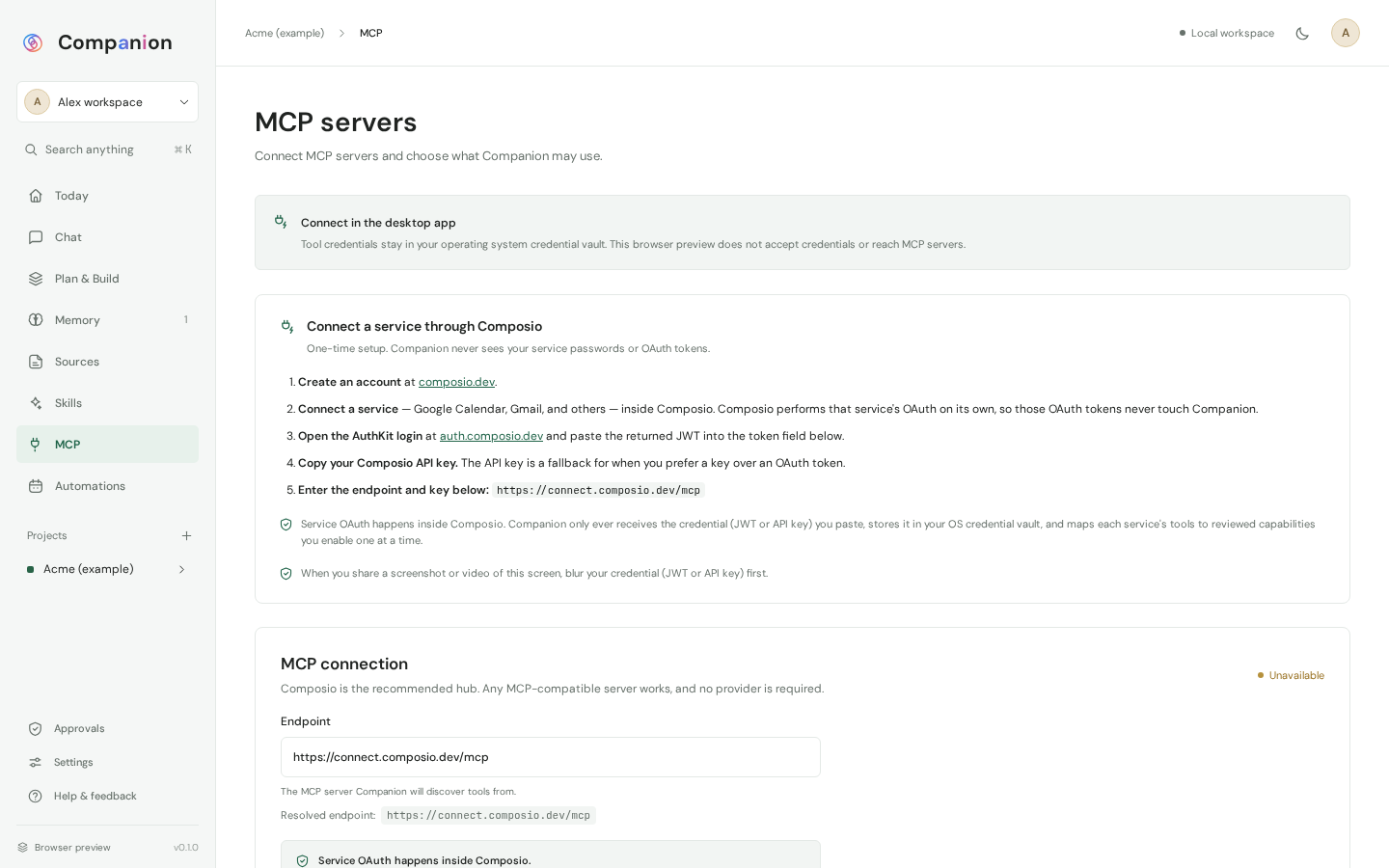
You give its address. Companion lists its tools as read, change or blocked, and you tick the ones the agent may use.
One approval per action
Every external effect is one exact proposal: action, destination, arguments, expiry. Approved once, executed once, with its outcome recorded.
Safe by construction
The model proposes, you decide
Screenshots of the application, taken with a fictional example.
Keys in the system vault
Keys are never written to a file, a log or an export.
No control of the computer
There is no shell, file-system access or browser control for a model to call.
Only the context you choose
Your provider receives only the selected context and its own key. It sees no other file or credential.
An audit log
Runs, approvals, agent changes and MCP requests are recorded, chained and exportable.
Encrypted backup
Encrypted backup, staged restore and a way back to the previous workspace.
24 languages
Setup and the workspace exist in 24 languages, 22 of them as machine translations awaiting review.
Where Companion stands
An alpha, stated plainly
Everything described on this page is developed and tested locally. No build is signed or certified for macOS, Windows or Linux yet, and behaviour with real models is still being qualified.
Companion is becoming a product companies can deploy and configure. Here is what does not exist yet:
Organisation policy: allowed providers, company tools, automatic reads.
Company agents, written and signed by the organisation.
Managed deployment (MSI, PKG, MDM settings), single sign-on and audit-log export.
Signed and notarised releases.
Frequently asked questions
Is Companion an AI model?
No. Companion connects the provider you choose: any OpenAI-compatible endpoint, Anthropic or a local model. You choose it and pay it directly.
Is Companion available for download?
No. There is no public installer. We deploy it case by case, as part of a project.
Does my data leave my machine?
Memory and documents stay on your computer. Only the context you select is sent to the AI provider you chose.
Can it act in my tools?
Yes, through the MCP servers you connect, and only after you approve each action.
Can my other tools read Companion’s boards?
Yes. Companion exposes its own MCP server: Claude, Cursor or VS Code can read a team’s boards, metrics and what-ifs.
How does it relate to OpenOS?
OpenOS is the server-side foundation, for the work of several agents across an organisation. Companion is one person’s application, on their computer. Both follow the same rule: the model proposes, the human decides.
Let’s talk about your project
The fastest way to understand Open Intelligence is to see it answer on your own documents. Describe your need: we’ll come back to you with a tailored solution and a costed quote.